Category management
ASAP provides a standard categorization system that encompasses merchant, goods, and service categories to facilitate the categorization and tagging of merchants and content assets in the ASAP content center. By implementing these categories, ASAP ensures consistent content management and precise marketing.
Note: Common wallet operators only have view permission on category attributes and category trees.
View the merchant, goods, or service category
- Log in to the ASAP console.
- Go to Growth > Content Asset Management > Category Management.
- Click Merchant Category, Goods Category, or Service Category as needed to proceed to the details page.
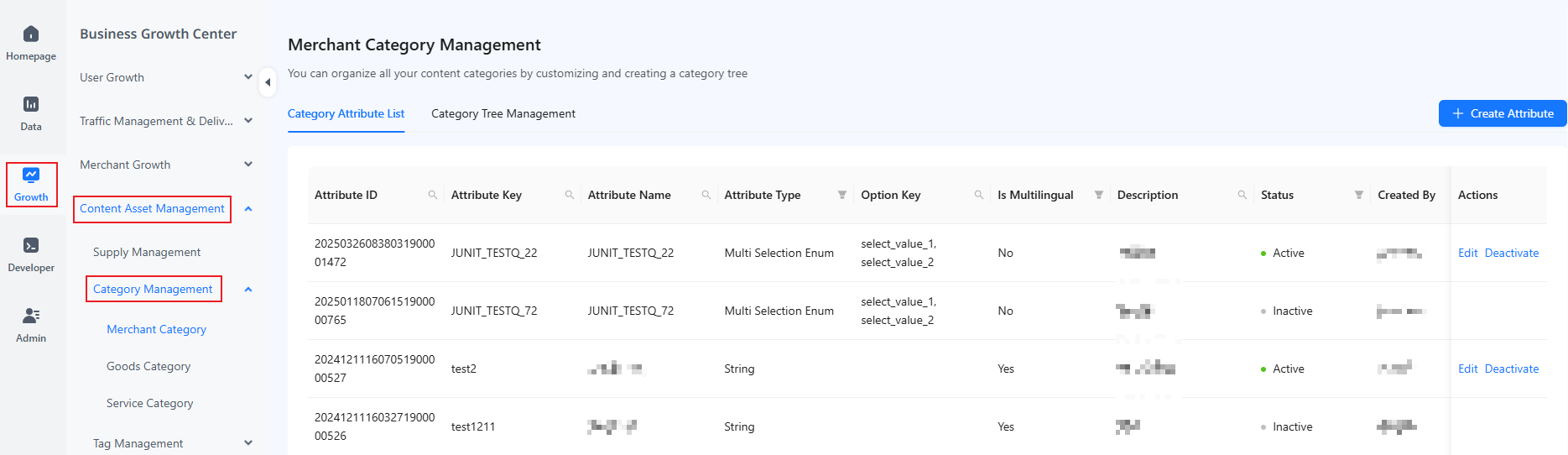
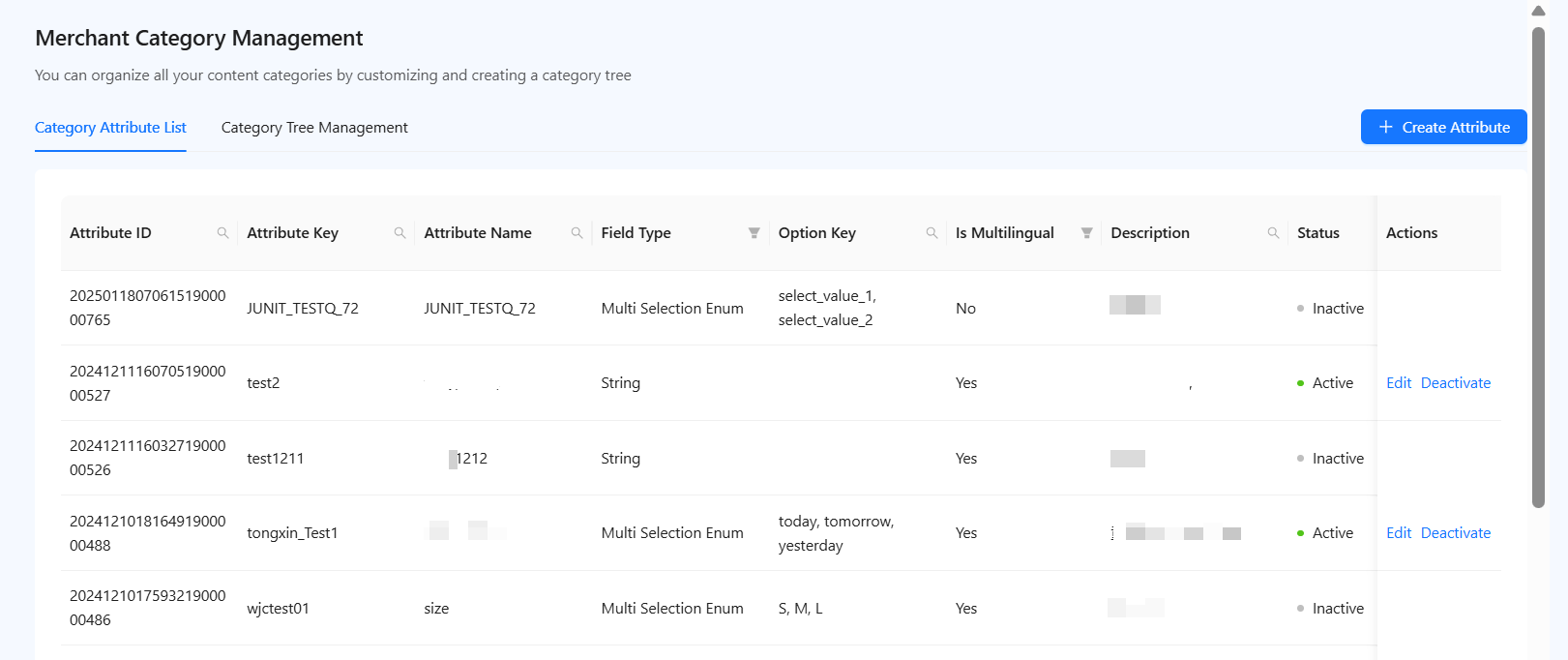
On the Category Attribute List page that appears by default, you can:
- View the comprehensive list of attributes of the selected category.
- Use filters such as Attribute ID and Field Type to narrow down the display results.
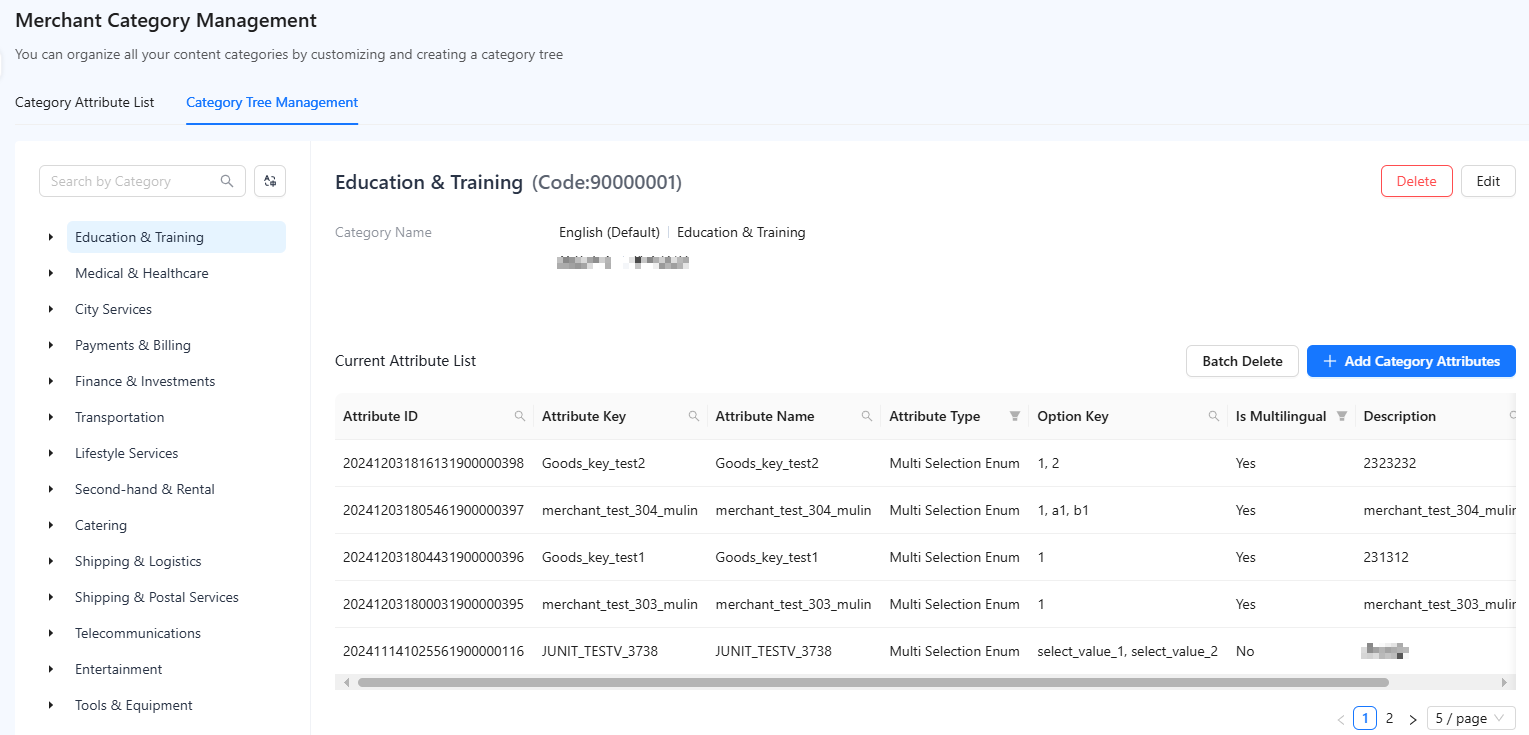
For a hierarchical view of categories and their attributes, switch to the Category Tree Management page. Here, you can:
- Select a category to view its associated attributes.
- Filter the attributes in the displayed list to further customize your view.