titleFontName
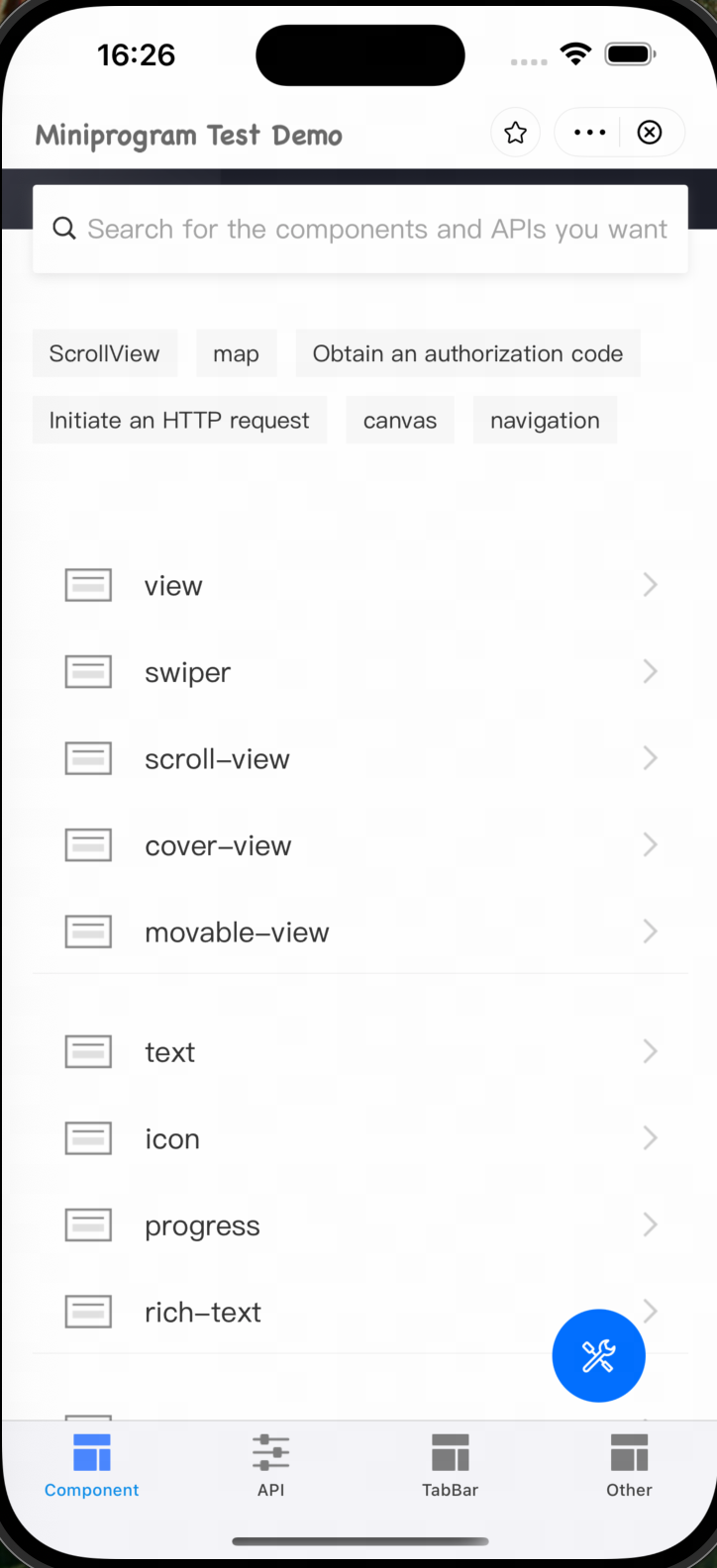
The titleFontName property is used to set the font name of the mini program page title. By setting a custom font name, you can change the font family of the text displayed in the title bar.
Method signature
copy
var titleFontName: String?Parameters
Parameter | Data Type | Default value | Required | Description |
titleFontName | String |
| No | Specifies the font name of the page title. The value must be a non-empty string. If an empty string ( |
Sample
copy
let param = GRVStartupParams()
param.titleFontName = "ChalkboardSE-Bold"

let viewController = try GRVAppContainerLaunch.sharedInstance().openApp(withUrl: url, startupParams: param)
let navigationController = self.navigationController ?? UIApplication.shared.windows.first?.rootViewController as? UINavigationController
navigationController?.pushViewController(viewController, animated: true)
User experience
For example, the following figure shows the title when setting titleFontName = "ChalkboardSE-Bold".