Logic for obtaining user's preferred language
The IAPMiniProgram iOS SDK automatically obtains the user's preferred language and uses it for SDK-controlled language display, including SDK-provided UI content and mini program information.
Language source decision logic
The SDK obtains the user's preferred language from either of the following sources:
- System settings
- Per-app settings
The SDK automatically applies the appropriate logic based on the super app's multilingual implementation. No additional configuration is required.
Super app multilingual implementation | SDK language source |
No multilingual capabilities implemented. | System settings |
Multilingual capabilities implemented via system settings. | |
Multilingual capabilities implemented via in-app language settings. | |
Multilingual capabilities implemented via per-app language settings. | Per-app settings |
Source from system settings
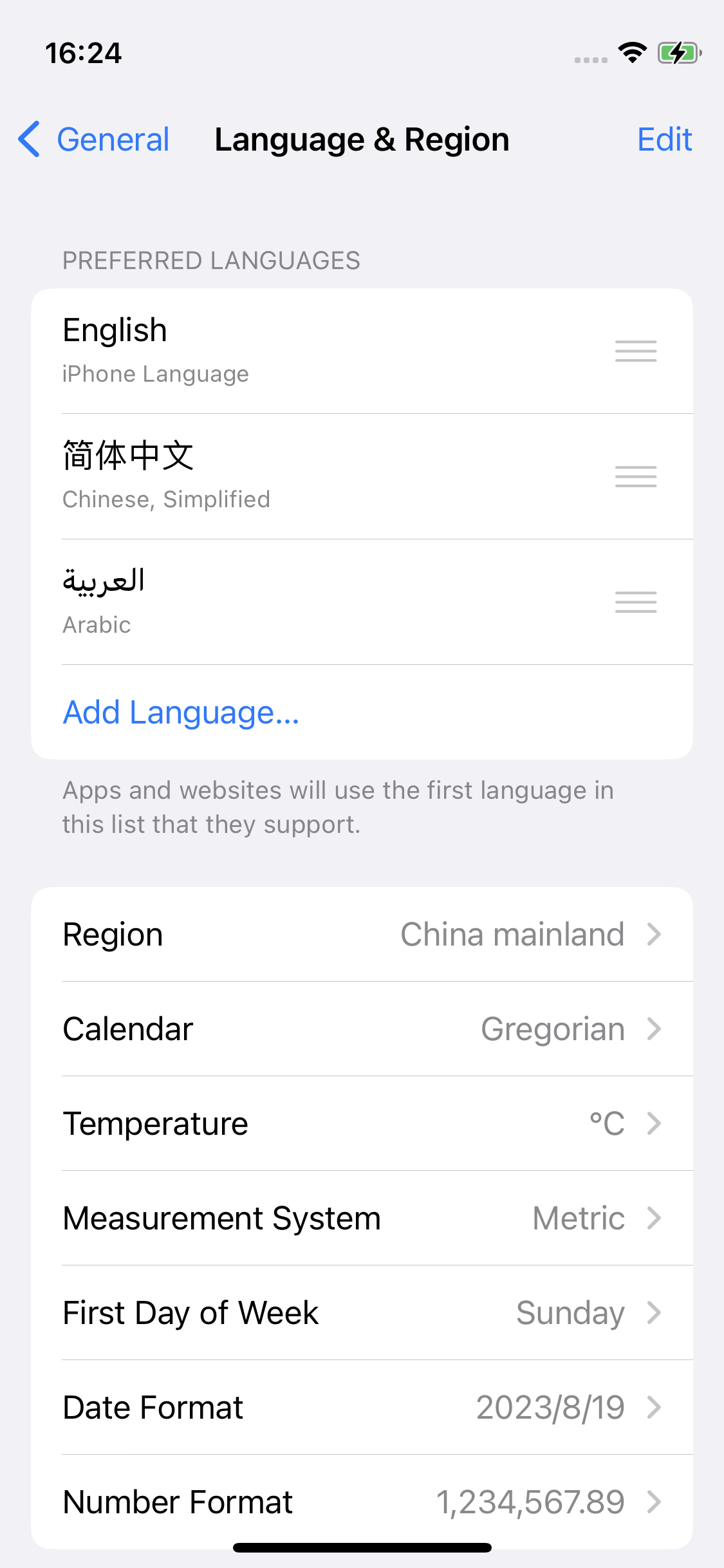
When the SDK uses system settings as the language source, it obtains the user's preferred language from the language settings on the user's device.
Users can configure the device language from Settings > General > Language & Region. The following screenshot shows the Language & Region settings page:
Source from per-app settings
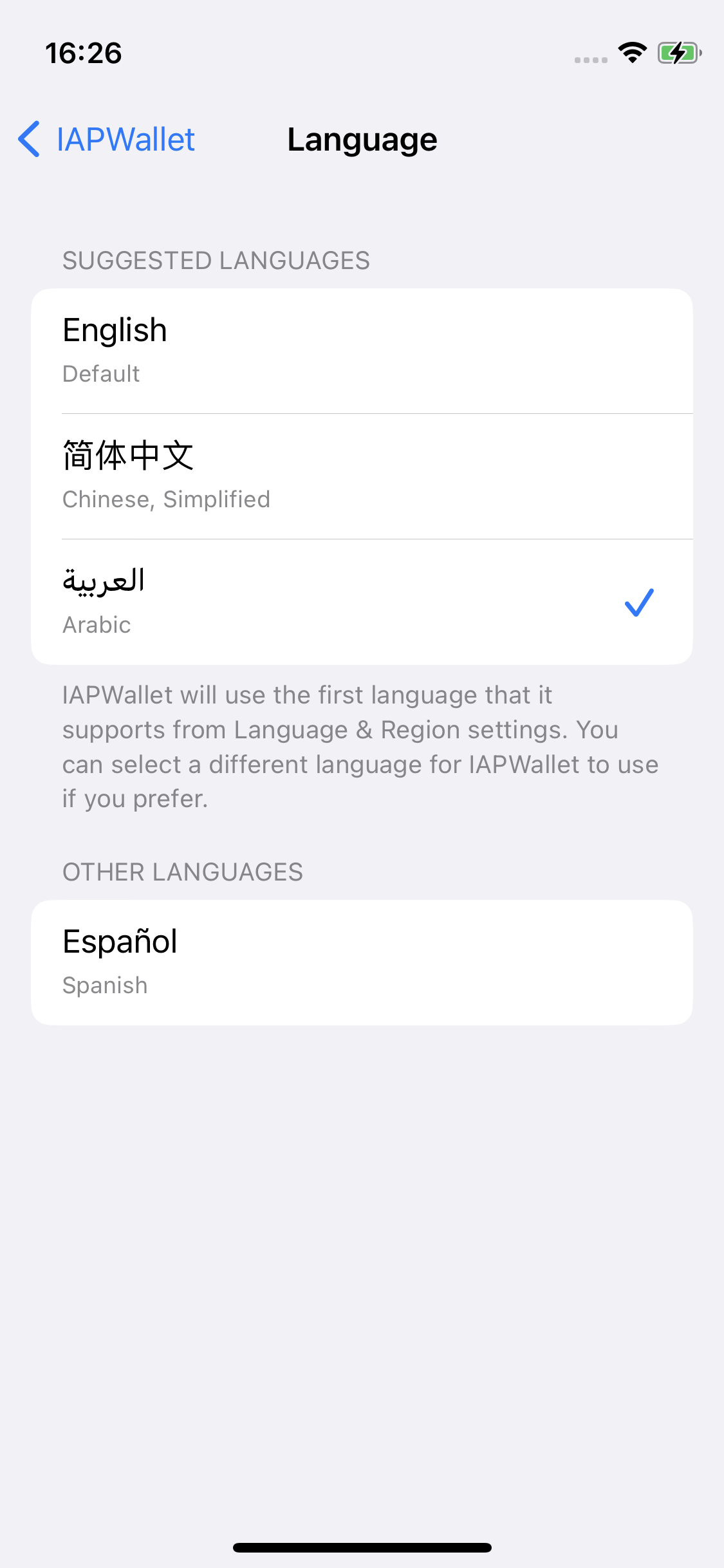
When the SDK uses per-app settings as the language source, it obtains the user's preferred language from the language setting configured specifically for the super app.
iOS per-app language settings allow users to select a language for a specific app independently from the device system language. Users can configure the app language from Settings > [Your app name] > Language. The following screenshot shows the per-app language settings page: