

Modify features
You can update the configuration of an existing feature, such as its name, description, or the JSAPIs bound to it.
This topic describes how to modify a feature on the Mini Program platform.
Prerequisites
Only workspace admins can modify features.
Procedure
To modify a feature, perform the following steps:
- Log in to Mini Program Platform.
- In the left navigation panel, click Features to navigate to the Features page.
- On the Features page, find the feature that you want to modify.
- Click the name of the feature to navigate to the Feature Details page.
- On the Feature Details page, click Edit in the lower-right corner.
- On the Edit Feature page, modify the feature based on your business requirements.
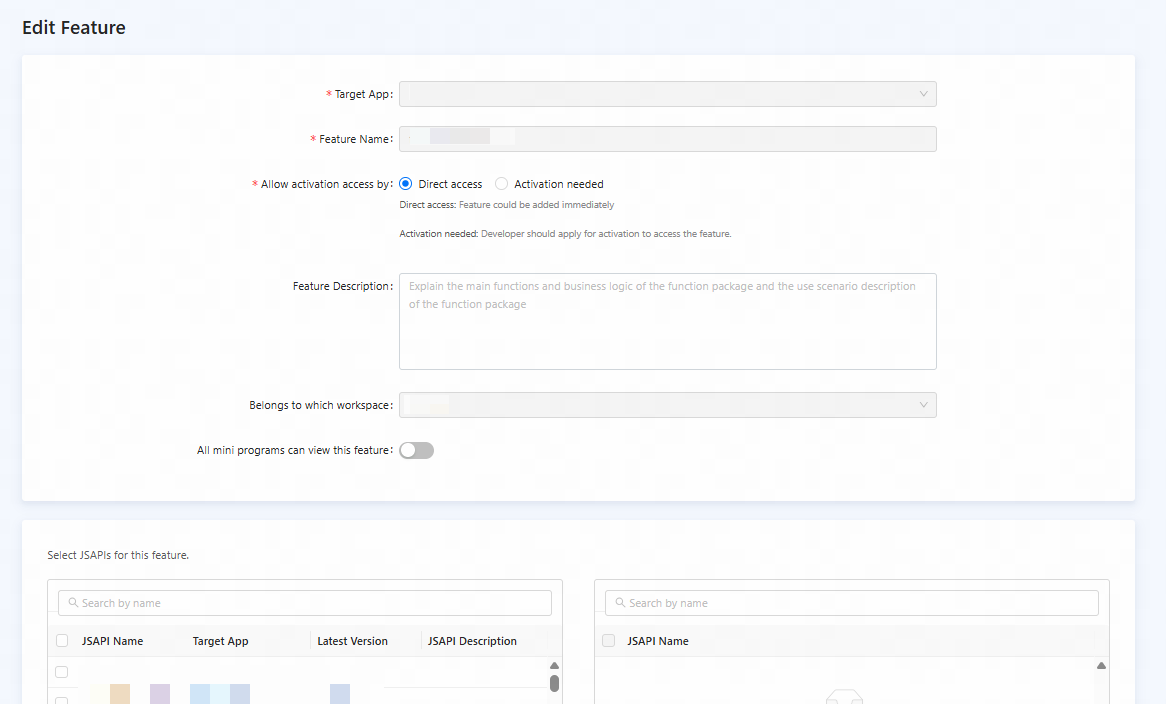
Figure 1. Modify a feature
- Click Save.
The feature is successfully modified.