

View features
You can view the details of a feature and the feature list.
This topic describes how to view features on the Mini Program platform.
Prerequisites
Only workspace admins can view features.
View a feature list
To view a feature list, perform the following steps:
- Log in to Mini Program Platform.
- In the left navigation panel, click Features to navigate to the Features page.
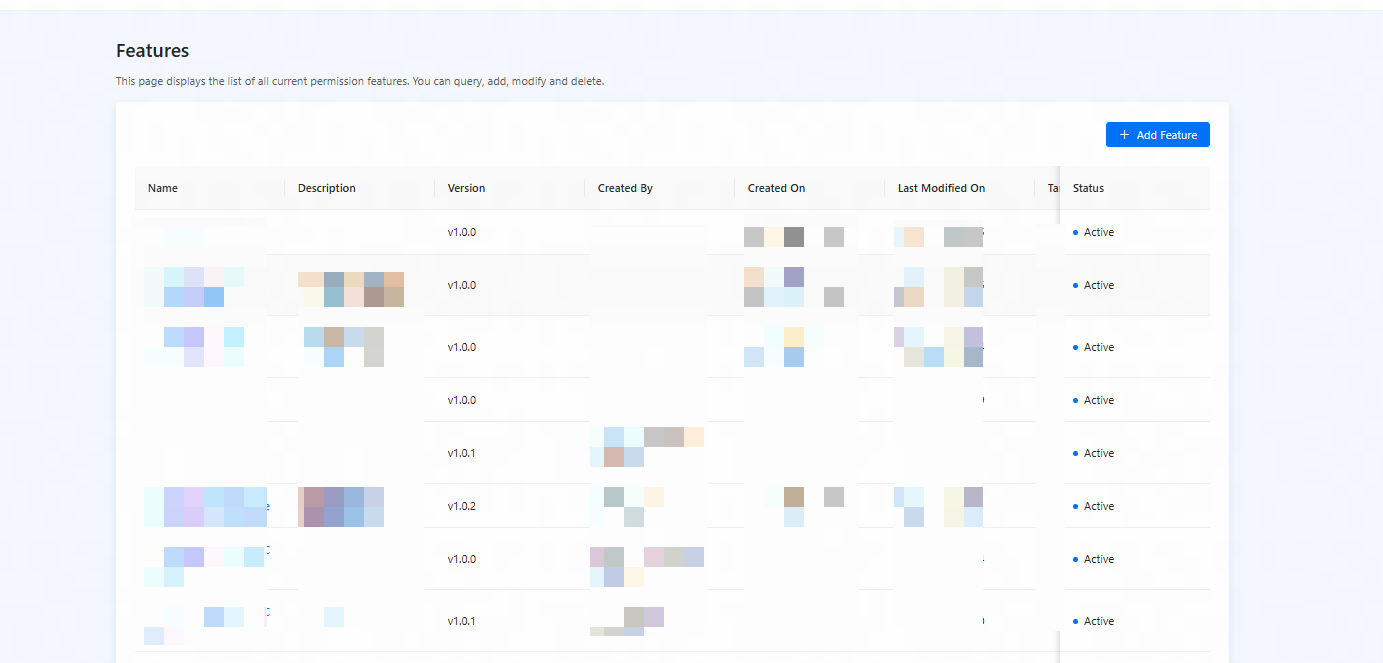
Figure 1. Feature list
- On the Features page, you can view the list of features.
- Name: the name of each feature.
- Description: the description of each feature.
- Version: the latest version of each feature.
- Created By: the person that created each feature.
- Created On: the time when each feature was created.
- Last Modified On: the time when each feature was updated.
- Status: the state of each feature.
- Target App: the target app in which the feature can be used.
View feature details
On the Features page, you can click the name of a feature to view the details of the feature.
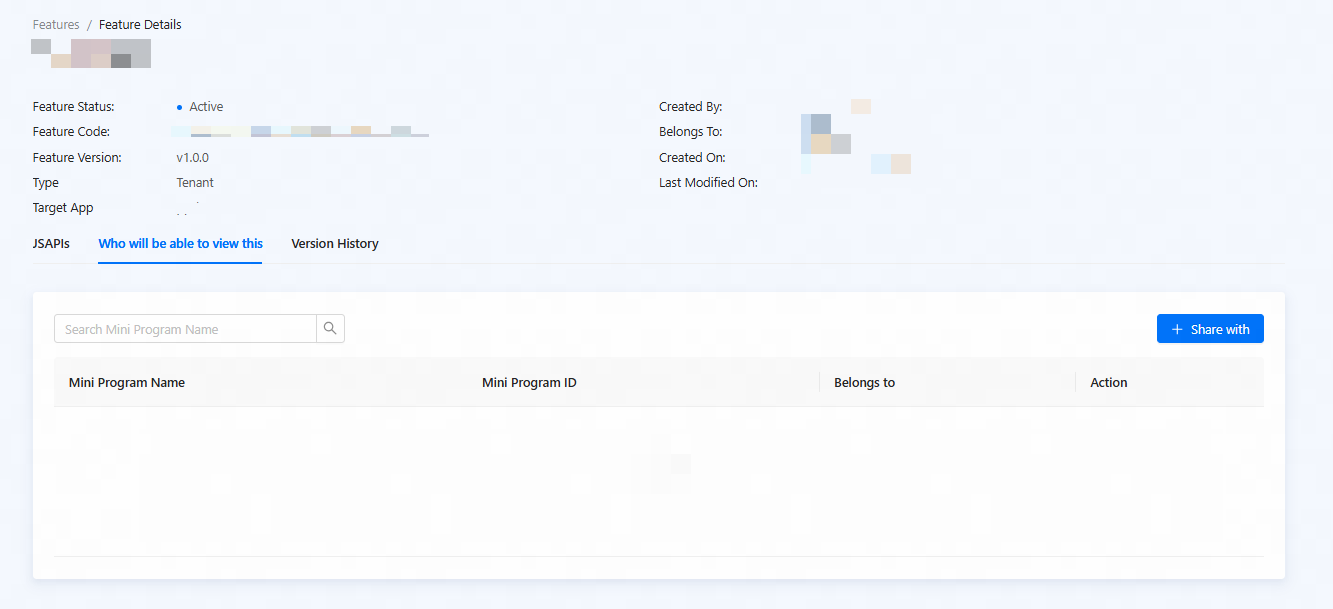
Figure 2. Feature details
Details of a feature include:
- Basic information of the feature, including the status, creation time, feature code, latest version, update time, feature type, target app, and etc.
- JSAPI information, including the bound JSAPIs and information of each JSAPI. You can click the name of a JSAPI to go to the JSAPI details page.
- Authorized mini programs: mini programs that are allowed to use the feature. This tab is displayed only for features whose All mini programs can view this feature field is turned off. Those features must be shared to mini programs before they can be used by the mini programs.
- Version history: the information of each version, including the version number, the creation time, the update time, the creator, and the status.