

Share features
Before mini programs can use a feature, permissions must be granted. If the All mini programs can view this feature setting of the feature is disabled, you must manually share the feature with mini programs to grant the permissions.
This topic describes how to share a feature with mini programs on the Mini Program platform.
Prerequisites
Only workspace admins can share features with mini programs.
Procedure
To share a feature, perform the following steps:
- Log in to Mini Program Platform.
- In the left navigation panel, click Features to navigate to the Features page.
- On the Features page, find the feature that you want to share with mini programs.
- Click the name of the feature to navigate to the Feature Details page.
- On the Feature Details page, click the Who will be able to view this tab.
- Click Share with.
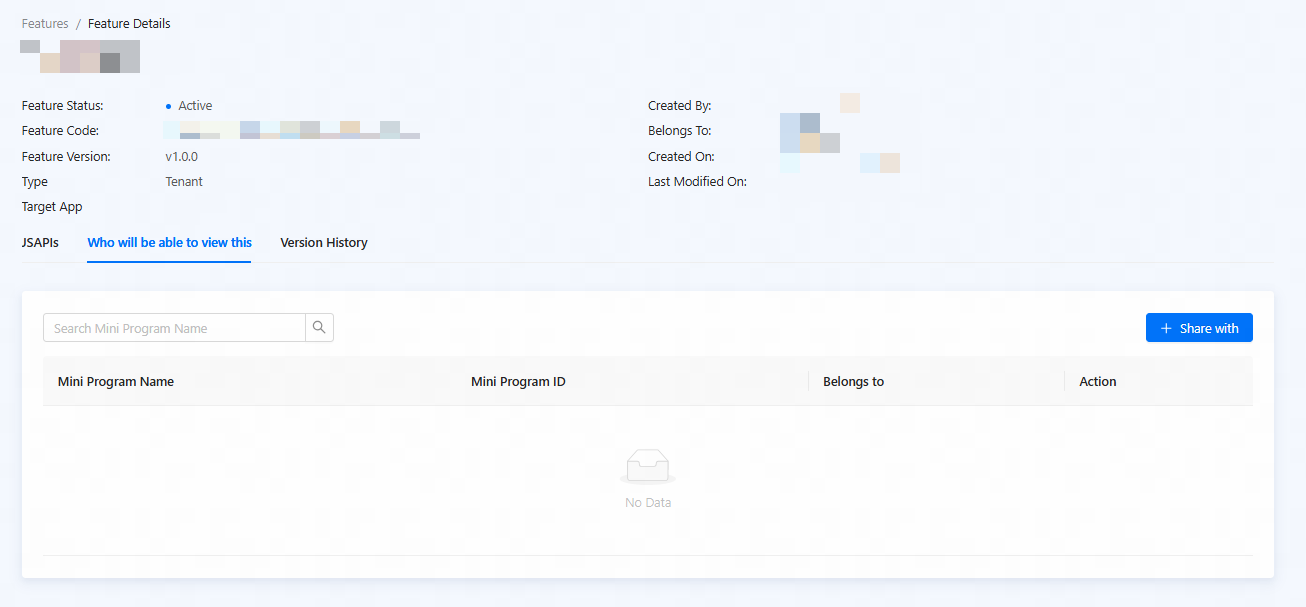
Figure 1. Share a feature
- Select one or more mini programs in the left column and click
 to add the mini programs.

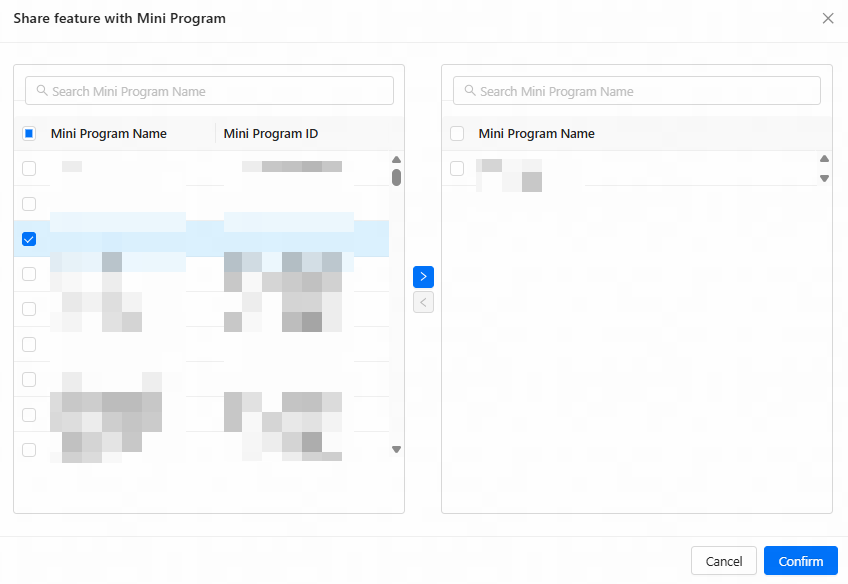
Figure 2. Add mini programs
Note: To stop sharing the feature to a mini program, select the mini program in the right column and click

- Click Confirm.
After the feature is shared with a mini program, developers of the mini program can add the feature to the mini program. For more information, see Add features.